
Daily work
Email and communication history
Keep the content and context of calls, messages and emails accessible from the work they concern.
Staff can understand the last conversation before responding and avoid conflicting answers.
Open Email and communication history →
Before you start
- The correct contact, property or lead.
- A working mailbox connection if sending email and the intended recipient list.
How to do it
Choose the right workspace
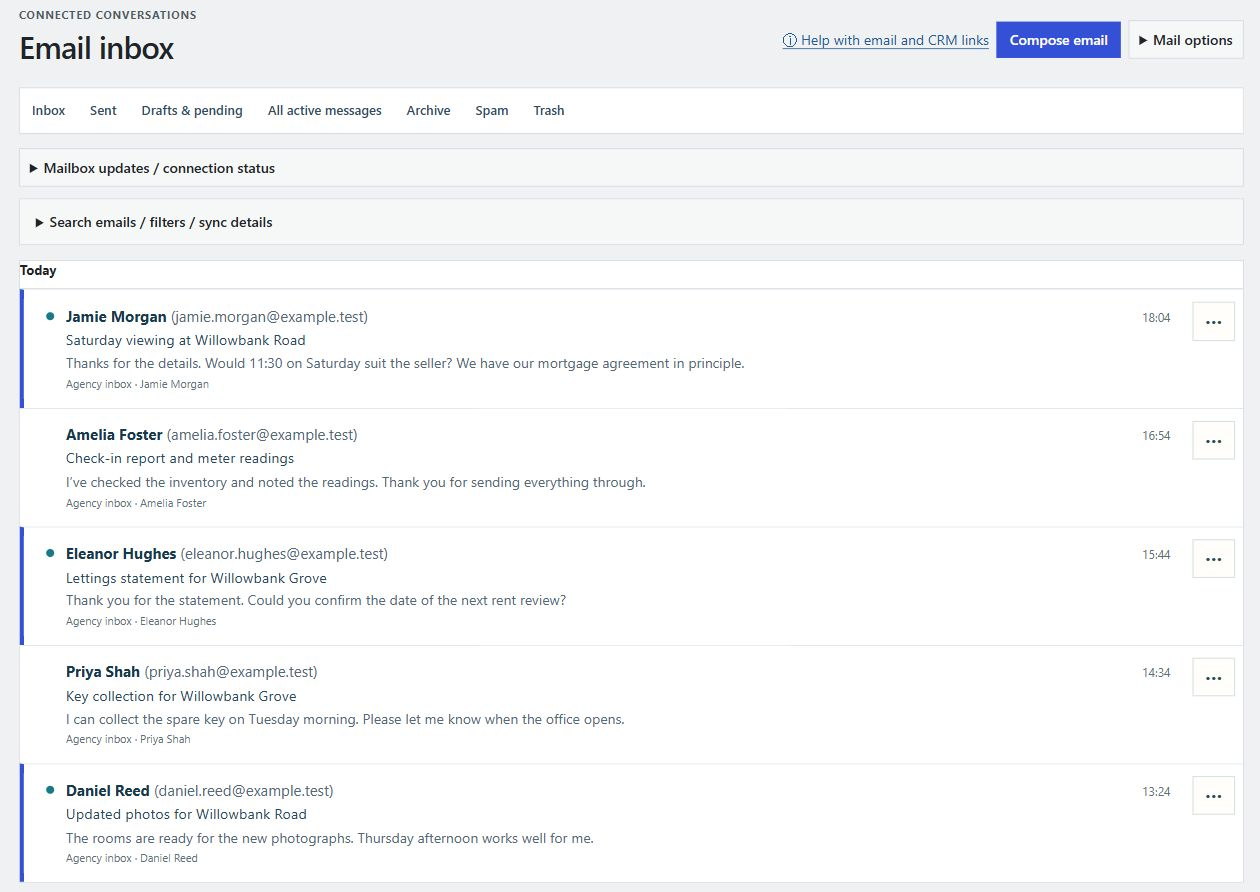
Use Email inbox for connected mailbox conversations. Use Communications for the CRM’s saved messages, notes and portal history. Customer requests is the work queue for portal requests requiring an owner, deadline and resolution.
Link and record
Select the contact and property when composing or recording a conversation. Include a clear subject and factual notes. Add the next action and follow-up where appropriate. Keep sensitive supporting files in their permitted private area.
Review before sending
Check recipients, attachments, property references and sharing. Save a draft if the wording or authority is not settled. Use the customer portal for documents and information that should stay with the customer’s request.
Check the result
Review sent, failed, blocked or queued states. A message accepted by the outgoing server is not proof it was read. Investigate failed deliveries and mailbox health; do not repeatedly send duplicates without checking.
Keep the work open
Opening a portal message marks it read. It does not resolve the customer request. Open the linked request, assign the work, reply and update its status when appropriate.
Check before moving on
- Check the sender mailbox and reply address.
- Internal notes and customer-shared replies are different.
- Marketing communications need their own audience and consent review.
Worked example
A customer sends a document by email. Link the message to the contact and property, record the review task and update the related request once checked.
See it with your own agency.
Explore for one month without entering payment details, or ask us to demonstrate the workflow.