
Let & manage
Inventories, inspections and visits
Create a structured condition record with rooms, items, observations and photographs.
A clear check-in and check-out record helps the parties understand the property’s condition and supports later review.
Open Inventories, inspections and visits →
Before you start
- The correct property, tenancy, visit type and inspection date.
- A charged phone or tablet, a reliable connection and the agency’s inspection checklist.
How to do it
Start the right report
Open Inventories & visits and select the property and tenancy. Confirm whether the record is an inventory, check-in, inspection or check-out. Reuse appropriate structure but review every copied observation and photograph.
Work room by room
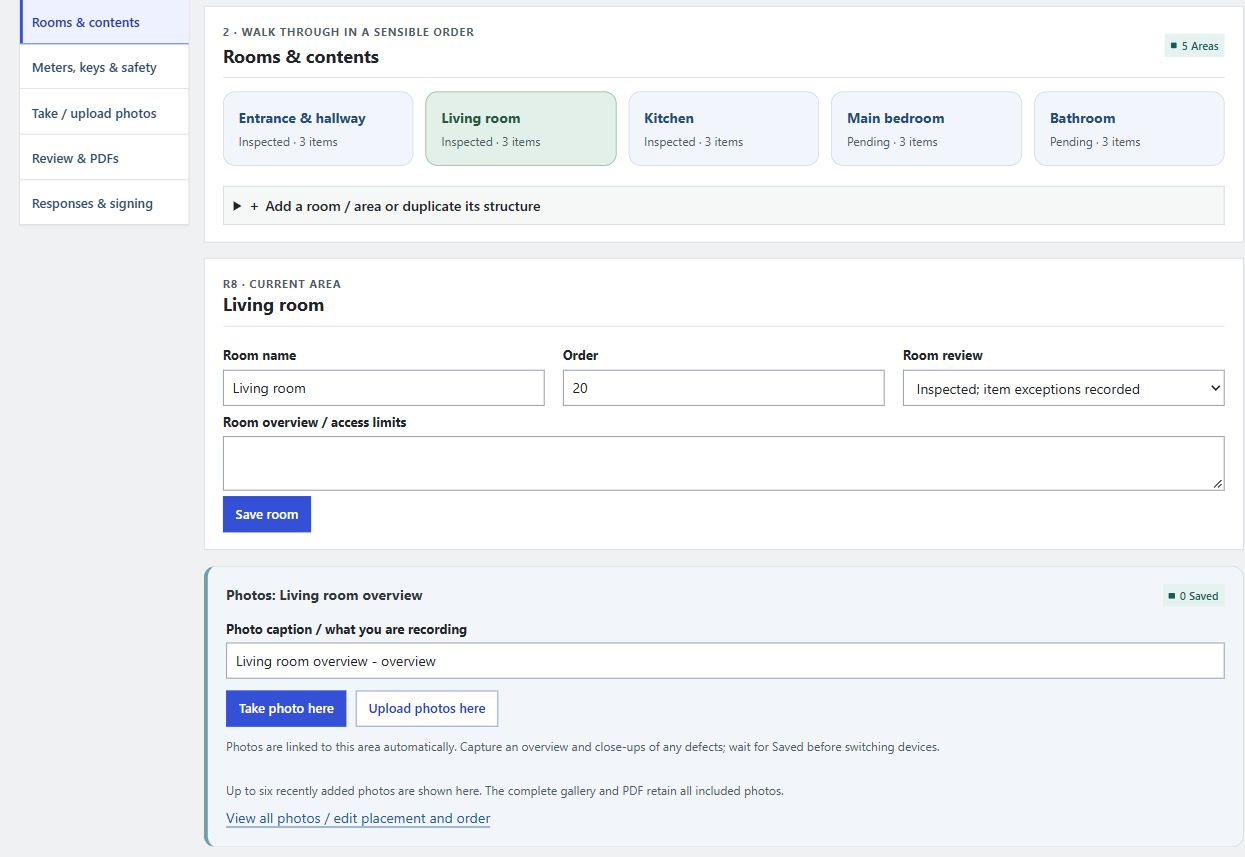
Add each room and its items. Describe condition and cleanliness precisely; avoid ambiguous words such as “fine”. Record defects and locations so another person can identify them later. Include relevant meters, keys and safety observations.
Attach the evidence
Add overview photos and close-ups to the relevant room or item. Check that each upload completes, the image is correctly oriented and the detail is legible. On mobile, review the thumbnail and saved count before moving on.
Review and issue
On desktop or phone, inspect the complete report for missing rooms, inconsistent descriptions and duplicate photos. Generate the branded PDF and review its pages. Retain issued versions rather than silently replacing a report already supplied.
Record the handover
Follow your agency’s procedure for providing the report and inviting comments or agreement. Record the actual delivery and any response. At check-out, compare with the original evidence and note changes; photographs do not replace written observations.
Check before moving on
- Save and upload while connected; do not assume offline changes are retained.
- Do not describe a report as signed unless signing evidence exists.
- Keep original issued versions and related correspondence.
Worked example
A bedroom wall has a mark near the window. Record its location and size, add a room overview and a close-up, then verify both images appear in the report.
Further guidance
See it with your own agency.
Explore for one month without entering payment details, or ask us to demonstrate the workflow.